
Purpose
Showcase data in a Power Bi, sourced from a Delta Lake populated by Databricks notebooks, featuring custom DAX tables for top values, visuals with drill down and slicing functionality, bookmarks for navigation, a glossary and accompanying documentation.
Typically, custom DAX tables are avoided as much as possible by performing all transformations in a pipeline / SSIS package / miscellaneous data transformation but it was necessary to create the LongestWaiting Dax Table as some functions aren’t allowed on fields that come from Direct Query data.
Data Architecture
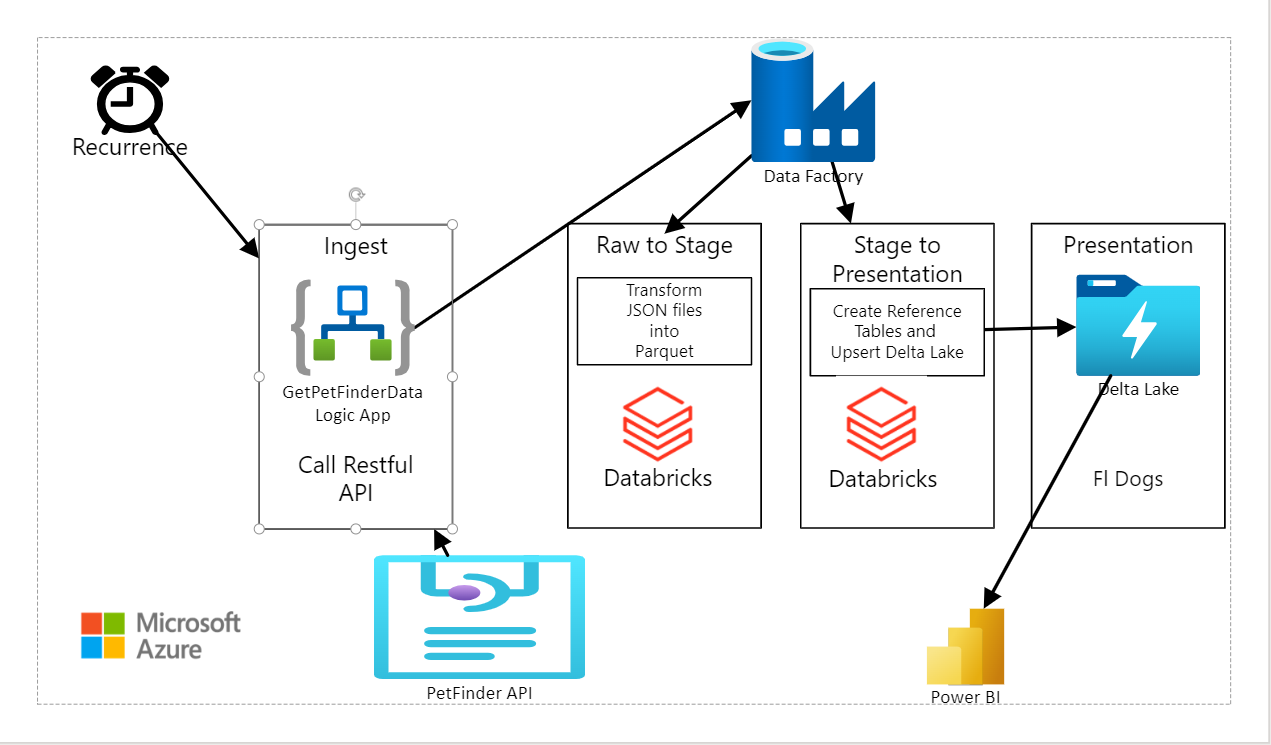
The data used to Upsert the Delta Lake is the free Petfinder API (Application Programming Interface). Data Architecture featuring Logic Apps, Data Factory, Databricks and a Delta Lake are described in this diagram.
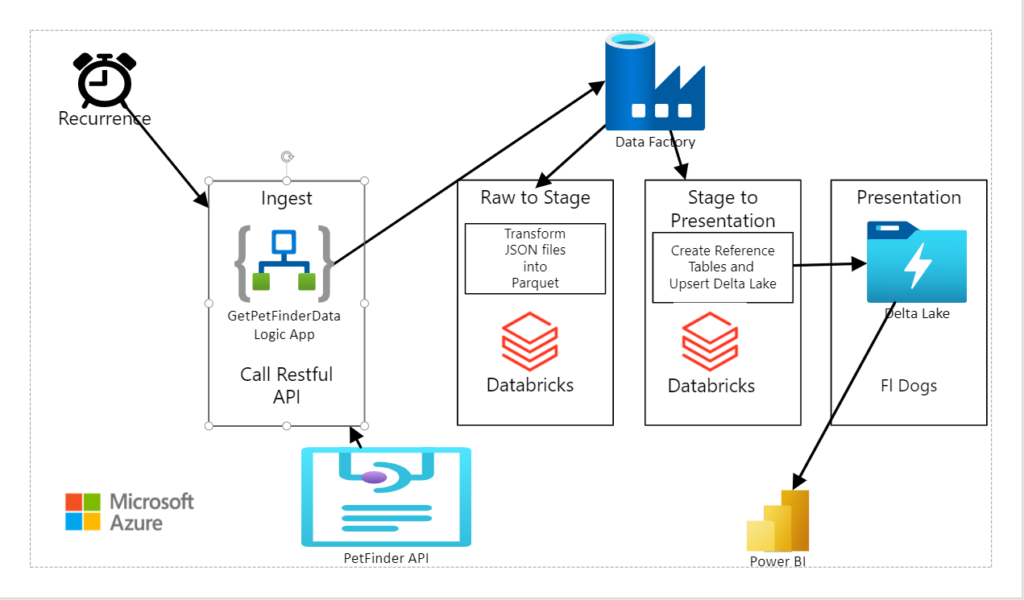
Every Sunday, a weekly Recurrence triggers a logic app that makes Restful API calls to Petfinder database and brings back thousands of dogs ready for adoption in Florida back in .json files.
Data Architecture – Logic App
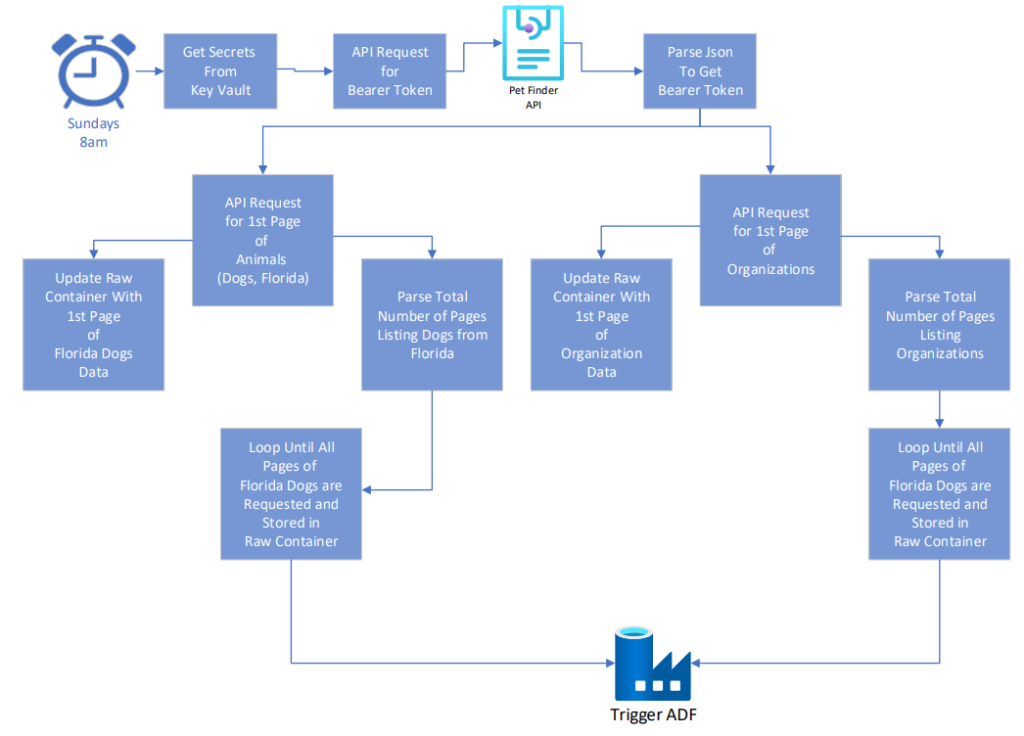
Data Architecture – Bulk Copy Pipeline Triggered By Logic App
The Logic App then triggers a Bulk Copy Pipeline in Azure Data Factory that reads in Metadata from a .json file in blob storage and uses the Metadata to execute a Databricks Notebook for Raw to Stage and Stage to Presentation transformations.
Power Bi
Since this Power Bi refreshes from Hive tables, and most tables are refreshed through Direct Query, it may take a few minutes for the data to refresh and for the visuals to render.
Power Bi – Tabs

- Navigation – Page listing Bookmarks to all pages. A Bookmark to the navigation page is on every tab
- Search For Dogs – Search for Florida Dogs by Breed, Color, Behavior, Age, etc.
- Search For Dogs by Carousel – Select pictures from carousels to see information about adoptable Florida dogs.
- Glossary – Definitions of fields displayed with reports along with sources and upsert / refresh frequencies.
- Administrative Log – Display timestamps for ingestion, processing and presentation.
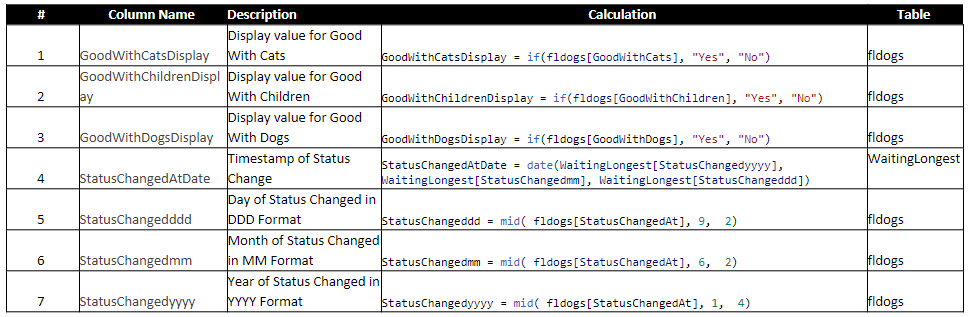
Power Bi – Custom Columns
Power Bi – Troubleshooting


Hi, this is a comment.
To get started with moderating, editing, and deleting comments, please visit the Comments screen in the dashboard.
Commenter avatars come from Gravatar.